Session tracking with live waveform
Start a session to capture maximum, minimum and average sound levels on a live waveform, then review statistics including average exposure (Leq).

Sound Meter
Measure noise levels in real time with live decibel readings.
UtilitiesSound Meter turns your phone's microphone into a live decibel meter, with session tracking, history and an optional Hearing Risk Insights panel. Want to test it first? Try the free online decibel meter in your browser, or read how to measure sound levels with your phone for background on accuracy and technique.
No install needed — try the free web version right now.
Turn your phone into a sound level meter. Sound Meter uses your phone's microphone to show a live decibel reading on a 0-130 dB scale, with a sound level guide comparing your current reading to everyday references like a whisper, a normal conversation or traffic. Start a session to track maximum, minimum and average levels while watching a live waveform, then review session statistics including the average exposure (Leq). An optional Hearing Risk Insights panel estimates noise dose and a projected 8-hour time-weighted average with health tips — viewing it is always free. Sound Meter Pro removes ads, lifts the 10-minute cap on background measuring, and lets you export noise diary and night-report PDFs and unlock unlimited saved places with trend sparklines without spending a pass. Every session is saved to history so you can look back later. The app works fully offline and never records or uploads audio, and it is available in 14 languages. Because it relies on your phone's built-in microphone and is not calibrated to a reference standard unless you calibrate it yourself in Settings, readings are a helpful estimate for everyday use rather than a certified measurement, and the app is not intended for occupational safety or regulatory compliance decisions.
Real screens from the current app. Swipe or scroll to explore.
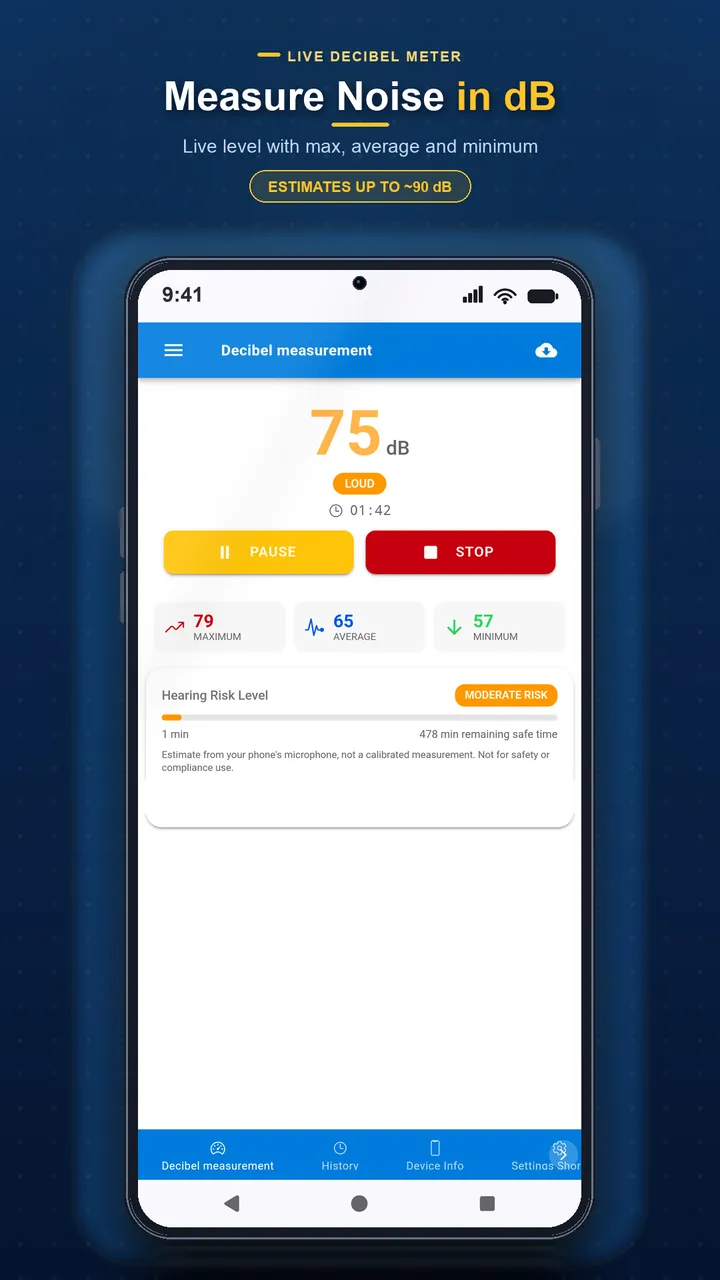
A real-time dB gauge compares your reading to everyday sound references.
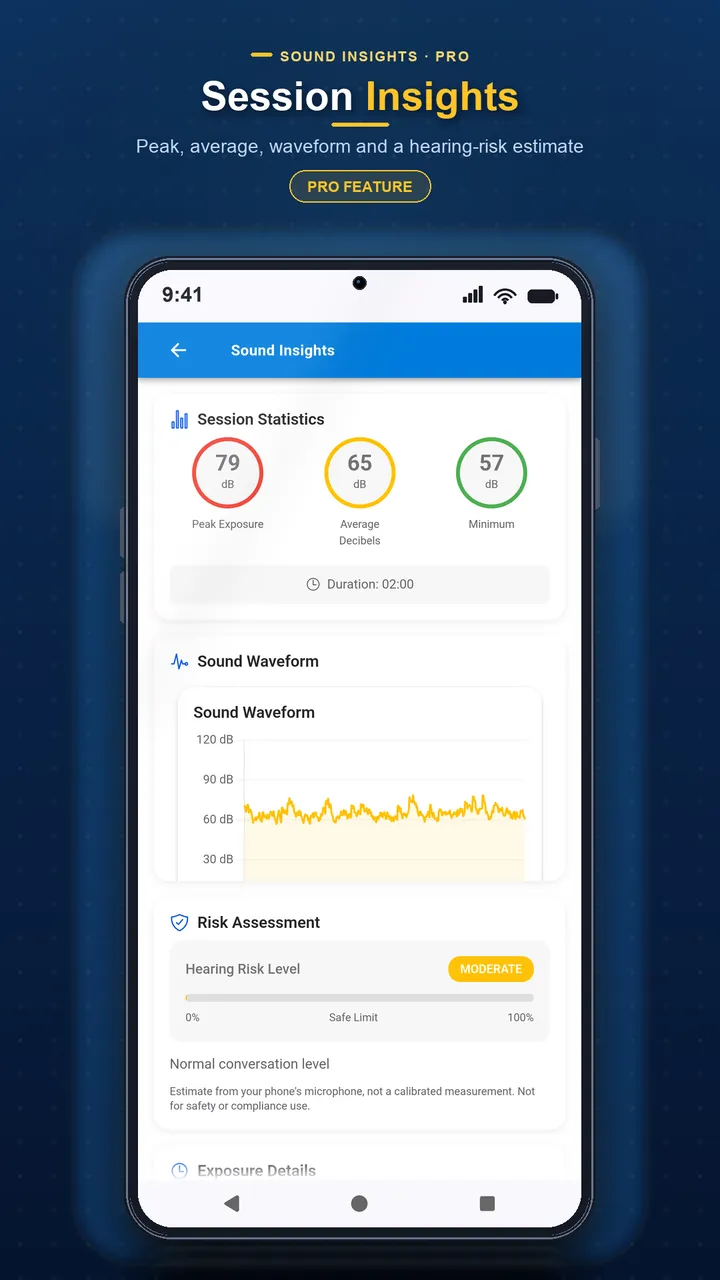
See an estimated noise dose and projected 8-hour average exposure.
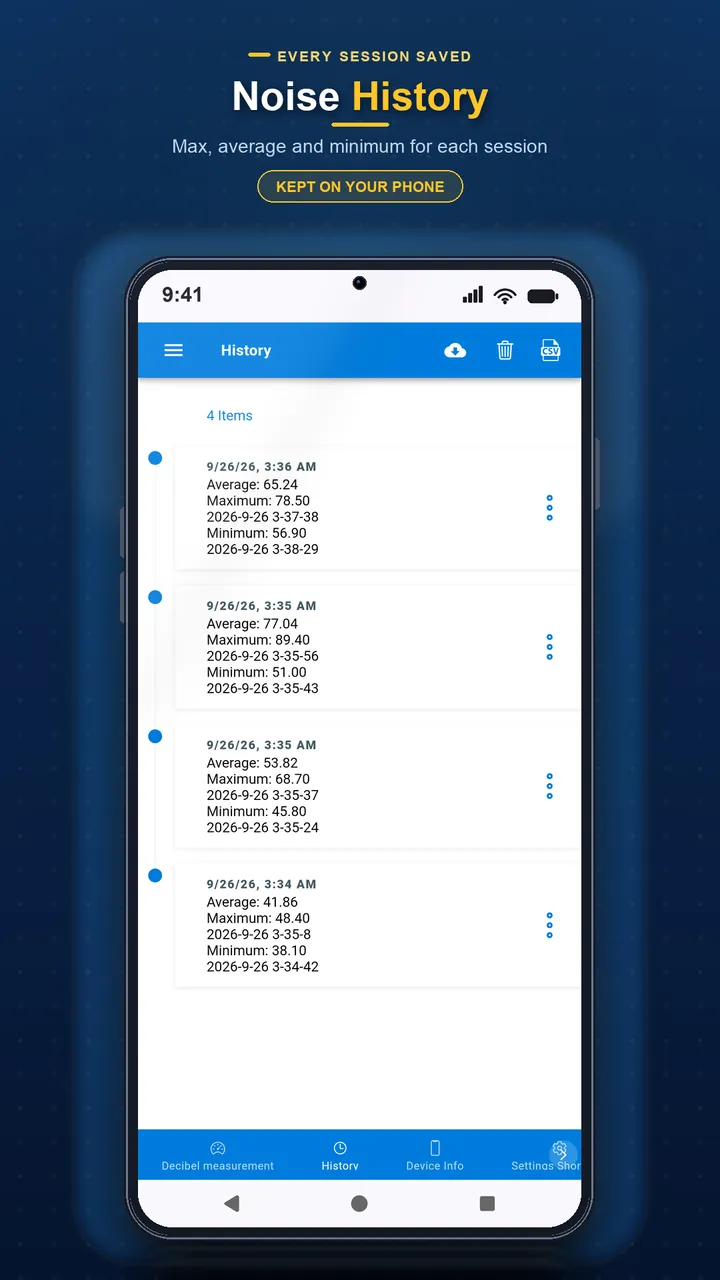
Every session is saved so you can review past readings later.
Start a session to capture maximum, minimum and average sound levels on a live waveform, then review statistics including average exposure (Leq).
An optional panel estimates noise dose and a projected 8-hour time-weighted average with health tips — viewing it is always free, and Pro removes ads and unlocks pass-free PDF exports.
The app is available in 14 languages and works fully offline — it never records or uploads audio.
See a real-time dB reading on a 0-130 dB scale with a sound level guide comparing it to everyday references like a whisper or traffic.
Start a session to capture maximum, minimum and average sound levels along with a live waveform.
Estimate noise dose and a projected 8-hour average exposure — viewing insights is always free; Pro adds unlimited background measuring and pass-free PDF exports.
Every measurement session is saved automatically so you can review past readings.
Calibrate the microphone reading against a reference meter in Settings for a closer estimate.
The full app, including the sound level guide and insights, is translated into 14 languages.
Live dB readings on a 0-130 dB scale, read from your phone's built-in microphone.
Watch the sound level move in real time and compare it against everyday reference levels.
Max, min, average and Leq (average exposure) for every recorded session.
Estimated noise dose and a projected 8-hour time-weighted average, with health guidance — viewing is always free; Pro removes ads and the pass requirement for diary and night-report PDF exports.
Browse and revisit every past measurement session.
Fine-tune the reading against a known reference in Settings for closer estimates.
Learn to measure decibel levels using your smartphone. Understand noise levels, protect your hearing, and use your phone as a sound level meter.
A decibel levels chart for common everyday sounds, plus the NIOSH, OSHA and WHO noise exposure limits that explain when a sound becomes a hearing-health risk.
Sound Meter gives a real-time estimate using your phone's built-in microphone on a 0-130 dB scale. Unless you calibrate it yourself against a reference meter in Settings, treat readings as a helpful estimate rather than a certified measurement — the app is not intended for occupational safety or regulatory compliance decisions.
Yes. Settings includes a calibration option that lets you adjust the reading against a known reference sound meter for a closer estimate.
Leq is the average sound level over your measurement session. It's a better indicator of overall exposure than a single peak reading, which is why it's included in your session statistics.
An optional panel that estimates your noise dose and projects an 8-hour time-weighted average from your session, along with general hearing-health tips. It's informational, not a medical or occupational assessment.
No. Viewing your noise dose, projected 8-hour exposure and health tips is free for everyone. Sound Meter Pro removes ads and unlocks pass-free PDF exports (noise diary, night reports), unlimited background measuring beyond 10 minutes, and unlimited saved places with trend sparklines.
No. Sound Meter only reads the live sound level to calculate a decibel value — it does not record, save or upload any audio.
Yes, all measuring, session tracking and history work fully offline with no internet connection required.
Yes. Every session you run is automatically saved to History, where you can review max, min, average and Leq values later.
Pro removes all ads, lifts the 10-minute limit on background measuring, lets you export noise diary and night-report PDFs and your session report without spending a pass, keeps more than 3 nights of night-report history, and unlocks unlimited saved places with trend sparklines. Subscription and lifetime options are available in the app.
Open the app's Settings menu and use the Contact Support or Feedback option to reach the Sound Meter team directly.
Download now and see why millions of users trust our apps.